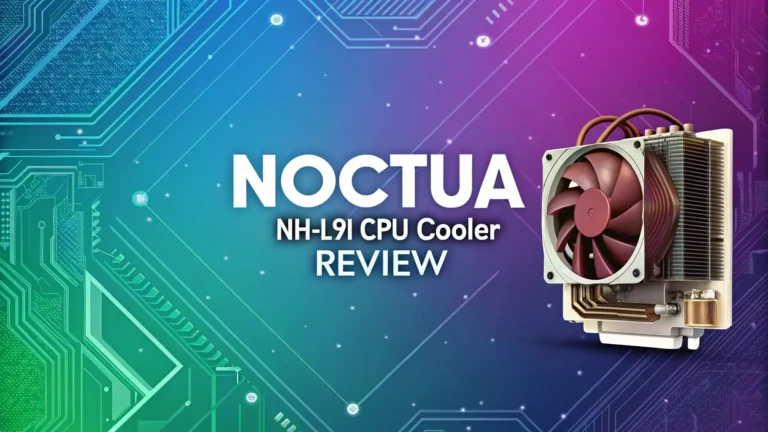
LGA 1200 CPU Cooler Review: Your Complete Guide
Building or upgrading your PC with an Intel 10th or 11th generation processor means you need the right cooling solution for your LGA 1200 socket. Finding the perfect CPU cooler can feel overwhelming with so many options available. This guide walks you through everything you need to know about LGA 1200 CPU coolers to help you make the best choice for your build.
The LGA 1200 socket supports Intel Comet Lake and Rocket Lake processors. These CPUs generate significant heat under load. You need a quality cooler to keep temperatures under control and maintain peak performance. The right cooler keeps your processor running smoothly while staying quiet and fitting within your budget.

Key Takeaways
Quick Overview of LGA 1200 Cooling Essentials:
- Socket Compatibility is Simple – Most coolers designed for LGA 115x sockets work perfectly with LGA 1200, giving you access to thousands of cooling options
- Air Coolers Deliver Excellent Value – Models like the Thermalright Peerless Assassin 120 SE offer top-tier performance at budget-friendly prices starting around $35
- Noise Levels Matter for Comfort – Look for coolers rated below 30 dB for whisper-quiet operation that won’t disturb your work or gaming sessions
- Tower Height Affects Case Compatibility – Measure your case clearance before buying, as premium dual-tower coolers can exceed 165mm in height
- AIO Liquid Coolers Provide Premium Cooling – All-in-one liquid coolers like the Arctic Liquid Freezer II series handle high TDP processors exceptionally well
- Installation Ease Varies Significantly – Modern mounting systems make installation straightforward, but always check if your cooler includes the LGA 1200 bracket
Understanding LGA 1200 Socket Compatibility
The LGA 1200 socket brings good news for PC builders. Intel designed this socket with backward compatibility in mind. Your cooler mounting holes match perfectly with older LGA 115x sockets. This means thousands of existing coolers work right out of the box with your LGA 1200 motherboard.
The socket measures the same distance between mounting holes as previous generations. You can use coolers from the LGA 1150, 1151, 1155, and 1156 series without any modifications. Most manufacturers include LGA 1200 compatibility with their current products. Some older coolers might need a simple bracket update from the manufacturer.
When shopping for a cooler, look for these socket compatibility markings on the product page. Compatible sockets include LGA 1200, 1150, 1151, 1155, and 1156. This wide compatibility gives you access to both budget-friendly options and premium cooling solutions. The standardized mounting system saves you money and expands your choices significantly.
Thermalright Peerless Assassin 120 SE

- [Brand Overview] Thermalright is a Taiwan brand with more than 20 years of development. It has a certain popularity in the domestic and foreign markets and has a pivotal influence in the player...
- [Product specification] Thermalright PA120 SE; CPU Cooler dimensions: 125(L)x135(W)x155(H)mm (4.92x5.31x6.1 inch); heat sink material: aluminum, CPU cooler is equipped with metal fasteners of Intel...
- 【2 PWM Fans】TL-C12C; Standard size PWM fan:120x120x25mm (4.72x4.72x0.98 inches); fan speed (RPM):1550rpm±10%; power port: 4pin; Voltage:12V; Air flow:66.17CFM(MAX); Noise Level≤25.6dB(A), leave...
This cooler dominates the budget cooling market. The Thermalright Peerless Assassin 120 SE delivers flagship-level performance at an incredible price point. You get dual 120mm fans, six heat pipes, and enough cooling capacity to handle processors up to 265 watts TDP.
The cooler features Advanced Gully Heat Pipe technology. This design improves heat transfer from your CPU to the aluminum fins. The two included fans spin at speeds up to 1550 RPM while maintaining a quiet 25.6 dB noise level. This makes the cooler barely noticeable even under heavy loads.
Installation proves straightforward with the included mounting hardware. The cooler provides brackets for both Intel LGA 1200 and AMD AM4/AM5 sockets. The tower design stands 155mm tall, so you need to verify your case has sufficient clearance. RAM compatibility remains excellent with most standard memory modules fitting comfortably underneath.
Performance testing shows this cooler competing directly with products costing twice as much. Reviews from Tom’s Hardware and Gamers Nexus consistently rank it among the best air coolers available. The combination of silent operation, excellent cooling, and budget pricing makes this an outstanding choice for most builds.
Cooler Master Hyper 212 Black Edition

- Cool for R7 | i7: Four heat pipes and a copper base ensure optimal cooling performance for AMD R7 and Intel i7.
- Quiet Cooling Fan: SickleFlow 120 Edge with Dynamic PWM control (690–2,500 RPM), designed for low noise and peak cooling performance.
- Simplify Brackets: Redesigned brackets simplify installation on AM5 and LGA 1851|1700 platforms.

The Hyper 212 series has earned legendary status in the PC building community. The Black Edition brings modern updates to this classic design. You get improved aesthetics with an all-black finish, better mounting hardware, and enhanced cooling performance.
This cooler uses four continuous direct contact heat pipes. These pipes touch your CPU directly for efficient heat transfer. The single 120mm SickleFlow fan pushes air through the aluminum fin array. The fan operates on PWM control, automatically adjusting speed based on your CPU temperature.
The Hyper 212 Black Edition works perfectly for mainstream Intel processors. It handles CPUs up to 150 watts comfortably. The cooler measures 152mm tall, making it compatible with most mid-tower cases. The compact design also ensures compatibility with tall RAM modules.
Installation takes just a few minutes using the updated mounting system. Cooler Master includes brackets for LGA 1200, 1700, and AMD AM4/AM5 sockets. The included thermal paste applies easily. First-time builders appreciate the simple installation process and clear instructions.
Top 3 Alternatives for LGA 1200 CPU Coolers

- Clean Classic Design: A clean and minimalist design offers a modern facelift to the pump, while enhancing the lighting dispersion of the ARGB. for fully customizable illumination
- Gen S Dual Chamber Pump: An improved copper base design to target heat spots with greater precision, while also increasing water flow and pressure for enhanced cooling performance.
- CryoFuze Thermal Paste: Now included premium CryoFuze thermal paste, which offers exceptional thermal conductivity of 14W/mK, as well as non-corrosive and oxidation-resistant properties for...

- 【Fit for Flexibile Form Factors】An ideal choice for SFF builds or even full sized builds, coming in at 72mm in height compatibility is not an issue.
- 【Intel Optimized】Ensured compatibility with Intel LGA 1851/1700/1200/1156/1155/1151/1150.
- 【Infinity Mirror】Adding depth to lighting we installed an infinity mirror to the center hub of the fan for an extra effect.

- Support Intel LGA 1200/1156/1155/1150/1151
- Low Profile Design. Air flow - 31.343 CFM. Noise level - 21.3 decibels
- Optimized for low power CPU's
Understanding Air Cooler vs AIO Liquid Cooler
Your cooling choice depends on your specific needs and preferences. Air coolers use metal heatsinks and fans to dissipate heat. They offer excellent reliability with no moving parts except the fans. Air coolers typically cost less and require zero maintenance over their lifetime.
All-in-one liquid coolers pump coolant through a radiator. The liquid absorbs heat from your CPU and releases it through the radiator fans. AIO coolers generally provide better cooling for high-end processors. They also keep the area around your CPU clearer, improving airflow to other components.
Air coolers excel in value and longevity. A quality air cooler lasts for multiple PC builds without any maintenance. The Thermalright Peerless Assassin 120 SE costs around $35 yet performs like coolers triple its price. Air coolers never experience pump failures or leaks.
AIO liquid coolers shine when you need maximum cooling capacity. They handle overclocked processors better than most air coolers. The radiator placement also gives you flexibility in case layouts. Modern AIOs feature RGB lighting and premium aesthetics. However, pumps can fail after several years, and AIOs cost significantly more upfront.
Noise Level Considerations for CPU Coolers
Noise matters more than many builders realize initially. A loud cooler becomes annoying quickly, especially during quiet gaming moments or video calls. Noise levels measure in decibels (dB), with lower numbers indicating quieter operation.
Most quality CPU coolers operate between 20 to 30 dB under normal conditions. For reference, a whisper measures around 30 dB. Library quiet hovers near 40 dB. You want a cooler that stays below 30 dB for comfortable daily use. Premium coolers achieve even lower noise levels through optimized fan blade designs.
The Thermalright Peerless Assassin 120 SE maintains 25.6 dB at full speed. This proves remarkably quiet considering its cooling capacity. Fan speed control through PWM also helps manage noise. Your motherboard can automatically reduce fan speeds when the CPU runs cool.
Larger fans generally run quieter than smaller ones. A 140mm fan moves the same air as a 120mm fan while spinning slower. This results in noticeably quieter operation. High-quality bearings in premium fans also reduce noise. Look for fans with fluid dynamic bearings for the quietest performance.
TDP Rating and Cooling Capacity
Thermal Design Power (TDP) tells you how much heat your processor generates. You need a cooler capable of handling your CPU’s TDP plus some headroom. Intel 10th and 11th generation processors range from 65W for basic models to 125W for high-performance chips like the Core i9-10900K.
Most budget coolers handle processors up to 150W TDP comfortably. The Cooler Master Hyper 212 works well for mainstream processors up to 150W. Mid-range coolers like the Peerless Assassin 120 SE push this capacity to 265W, providing excellent headroom for overclocking.
Check your specific processor’s TDP before choosing a cooler. Your CPU documentation lists the TDP specification. Match this number with your cooler’s rated capacity. Adding 20-30% extra cooling capacity ensures your processor stays cool even during intense workloads.
Higher TDP ratings don’t always mean better cooling. Actual thermal performance depends on heatsink design, fan quality, and heat pipe efficiency. Professional reviews provide real-world temperature testing. These tests show how coolers perform with actual processors under load.
Installation and Mounting Systems
Modern CPU coolers feature improved mounting systems compared to older designs. Most manufacturers now include tool-free or simplified installations. The best mounting systems secure firmly while allowing easy removal for upgrades or maintenance.
The SecuFirm2 system from Noctua sets the standard for mounting convenience. You attach a backplate to your motherboard, then secure the cooler with thumbscrews. The entire process takes less than five minutes. Other manufacturers have developed similar easy-mount systems.
Before installing any cooler, prepare your workspace properly. Clean your CPU surface with isopropyl alcohol. Apply thermal paste correctly using the small dot method in the center of the CPU. Let the mounting pressure spread the paste evenly.
Pay attention to fan orientation during installation. The fans should push air from the front of your case toward the rear exhaust. This maintains proper airflow direction. Cable management becomes easier when you route fan cables cleanly to the motherboard headers.
Budget vs Premium Cooler Comparison
Budget coolers deliver surprising performance in today’s market. The Thermalright Peerless Assassin 120 SE costs around $35 yet matches coolers priced at $100 or more. This incredible value comes from efficient manufacturing and direct-to-consumer sales models.
Premium coolers justify their higher prices through superior build quality and aesthetics. Noctua coolers use premium fans with exceptional bearings. These fans last longer and run quieter than budget alternatives. The build quality and customer support also exceed budget offerings.
For most users building mainstream gaming PCs, budget coolers provide everything needed. You save money that goes toward a better GPU or more RAM. The performance difference between a $40 cooler and a $100 cooler often measures just a few degrees.
Premium coolers make sense for specific situations. Overclocking enthusiasts benefit from the extra cooling capacity. Small form factor builds need specialized low-profile coolers. Users who value aesthetics highly appreciate the premium finishes and RGB lighting of expensive coolers.
RGB Lighting and Aesthetic Features
Modern PC builds often emphasize visual appearance alongside performance. Many coolers now feature RGB lighting on fans and heatsinks. These lights sync with motherboard software to create coordinated lighting effects throughout your system.
RGB adds to the purchase price but provides no cooling benefit. The Thermalright Peerless Assassin 120 SE comes in both standard and ARGB versions. The ARGB version costs slightly more but offers customizable lighting. You connect the lighting to your motherboard’s RGB header for control.
Color options extend beyond just RGB lighting. Many manufacturers offer black editions of popular coolers for sleek, professional builds. Chrome or nickel-plated heatsinks provide premium appearances. Some coolers feature white designs perfect for clean, modern aesthetics.
Consider whether you actually see inside your PC case regularly. If your case has solid panels or sits under a desk, RGB lighting provides little practical benefit. Save money by choosing non-RGB versions and invest in better cooling performance instead.
Case Compatibility and Clearance Issues
Measuring your case before buying a cooler prevents expensive mistakes. Large tower coolers provide excellent performance but require significant vertical clearance. Most dual-tower coolers stand between 155mm and 165mm tall.
Check your case specifications for CPU cooler height clearance. Mid-tower cases typically accommodate coolers up to 160mm tall. Compact cases might limit you to 140mm or less. The product page for your case lists the maximum cooler height supported.
RAM clearance causes problems for many builders. Large coolers with fans positioned low over the motherboard can block tall memory modules. The Thermalright Peerless Assassin 120 SE provides good RAM compatibility but still requires checking your specific memory height.
AIO liquid coolers avoid height restrictions but need radiator mounting space. Your case needs room for a 240mm or 280mm radiator. Most modern cases include mounting points on the front or top panels. Verify your case supports the radiator size you plan to buy.
Thermal Performance Testing Results
Independent reviews provide crucial performance data for CPU coolers. Tom’s Hardware and Gamers Nexus conduct standardized testing with consistent methods. These tests measure actual CPU temperatures under controlled load conditions.
The Thermalright Peerless Assassin 120 SE consistently achieves temperatures within 3-5 degrees of the best premium air coolers. Testing shows it handles an Intel Core i9 processor with ease. The cooler maintains the CPU below throttling temperatures even during stress tests.
Arctic Liquid Freezer II series AIOs dominate liquid cooling benchmarks. The 280mm version provides temperatures several degrees lower than most air coolers. This liquid cooler performs exceptionally well while maintaining competitive pricing around $80-100.
Temperature differences between good coolers often measure small. A five-degree difference rarely impacts real-world performance. Focus more on noise levels and price when temperatures stay within acceptable ranges. Most quality coolers keep modern processors comfortably cool during gaming and productivity work.
Maintenance and Longevity
Air coolers require minimal maintenance over their lifespan. Dust accumulation represents the main concern. Clean your cooler every few months using compressed air. Blow dust from between the fins to maintain optimal airflow. This simple maintenance keeps your cooler performing like new.
Thermal paste degrades slowly over several years. Plan to replace thermal paste every 3-5 years for best results. This simple procedure takes just minutes. New thermal paste restores heat transfer efficiency and can lower temperatures by several degrees.
Fan bearings eventually wear out after years of constant operation. Quality fans from reputable manufacturers last 5-10 years typically. When a fan starts making noise, you can replace just the fan. This costs much less than replacing the entire cooler.
AIO liquid coolers require no maintenance but have limited lifespans. The pump mechanism typically lasts 5-7 years. The coolant slowly evaporates through the tubing over time. Eventually, cooling performance degrades, and you need to replace the entire unit.
Overclocking Considerations
Overclocking pushes your processor beyond stock specifications. This generates significantly more heat. Your cooling solution becomes even more critical when overclocking. You need a cooler with substantial thermal headroom above your CPU’s base TDP.
Premium air coolers handle moderate overclocking well. The Thermalright Peerless Assassin 120 SE supports light to moderate overclocks. Its 265W TDP rating provides room for increased power consumption. Monitor temperatures carefully when pushing your processor higher.
Serious overclocking often requires liquid cooling. A quality 280mm or 360mm AIO handles heavily overclocked processors. The larger radiator surface area dissipates heat more effectively. Liquid cooling keeps temperatures stable during long benchmark runs.
Some processors overclock better than others. Intel’s 10th and 11th generation chips have varying overclocking potential. Research your specific CPU model before investing in premium cooling. Sometimes the stock cooling proves sufficient for mild frequency increases.
Common Installation Mistakes to Avoid
Many first-time builders make similar mistakes during cooler installation. Forgetting to remove the plastic protective film from the heatsink base causes poor cooling. This clear film protects the surface during shipping but must be removed before installation.
Using too much thermal paste creates messy installations without improving cooling. A small rice-grain sized dot in the CPU center works perfectly. The mounting pressure spreads the paste evenly. Excessive paste can squeeze onto the motherboard and create cleaning headaches.
Mounting the cooler without proper bracket alignment leads to poor contact. The heatsink must sit flat against the CPU surface. Uneven mounting creates gaps that reduce cooling efficiency. Always verify the brackets attach symmetrically and evenly.
Cable management often gets overlooked during installation. Messy cables can obstruct airflow or interfere with fans. Take a few extra minutes to route cables cleanly. Use cable ties to secure wires away from fan blades. This prevents noise and improves airflow.
Power Consumption and Efficiency
CPU cooler fans draw minimal power compared to other components. Most 120mm fans consume 1-3 watts of power. Even systems with multiple fans add less than 10 watts to total power consumption. This negligible amount shouldn’t influence your cooler choice.
PWM fan control improves efficiency by adjusting speed based on temperature. Your motherboard reduces fan speeds when the CPU runs cool. This saves small amounts of power while reducing noise. PWM control also extends fan lifespan by reducing unnecessary wear.
Pump power in AIO coolers adds slightly more consumption. Most AIO pumps draw 2-4 watts continuously. The total power including fans still remains under 15 watts typically. This represents less than 2% of a typical gaming PC’s power draw.
Energy efficiency in cooling comes primarily from effective heat dissipation. Better coolers let your CPU boost higher for longer periods. This improved performance actually delivers better performance per watt than poor cooling that causes thermal throttling.
Value for Money Analysis
The CPU cooler market offers excellent value at every price point. Budget options like the Cooler Master Hyper 212 provide solid performance for under $20. Mid-range coolers deliver flagship-level cooling for $35-50. Premium coolers offer incremental improvements at significantly higher costs.
The Thermalright Peerless Assassin 120 SE represents exceptional value. You get performance matching $100+ coolers for around $35. This cooler makes sense for nearly every build type. The money saved goes toward components that improve performance more noticeably.
Premium coolers from Noctua cost $80-150 but include industry-leading warranties and customer support. Noctua provides free mounting kit upgrades for new CPU sockets. The fans last for a decade or more. For some users, this long-term support justifies the higher initial cost.
AIO liquid coolers range from $60 for budget models to $200+ for premium units. The Arctic Liquid Freezer II series hits the sweet spot with excellent performance around $80-100. More expensive AIOs often focus on aesthetics rather than improved cooling.
Warranty and Customer Support
Warranty coverage varies significantly between manufacturers. Budget coolers typically include 1-2 year warranties. This basic coverage protects against defects but expires before the cooler’s useful life ends.
Premium manufacturers offer superior warranty terms. Noctua provides six-year warranties on most coolers. They also guarantee mounting kit compatibility for future CPU sockets. This forward-thinking support means your cooler works with future motherboard upgrades.
Customer support quality matters when problems arise. Noctua and Be Quiet! maintain excellent reputations for responsive support. They help with installation questions and honor warranty claims promptly. Budget brands often provide limited support options.
Some manufacturers make mounting hardware available separately. This lets you adapt older coolers to new sockets inexpensively. Arctic and Noctua both offer free mounting kit updates for existing customers. This support extends the useful life of your cooling investment.
Frequently Asked Questions
What Makes a Good LGA 1200 CPU Cooler?
A quality LGA 1200 cooler combines effective heat dissipation, quiet operation, and easy installation. Look for coolers with adequate TDP ratings for your processor. The mounting system should install securely without excessive complexity. Good value matters more than premium pricing for most users. Reliable brands with positive reviews typically deliver better long-term satisfaction.
Can I Use My Old LGA 1151 Cooler on LGA 1200?
Yes, LGA 1151 coolers work perfectly with LGA 1200 motherboards. Intel kept the mounting hole pattern identical between these sockets. Your existing cooler attaches using the same brackets and screws. This backward compatibility saves money when upgrading your CPU and motherboard to 10th or 11th generation Intel processors.
How Do I Know If a Cooler Fits My Case?
Check your case specifications for maximum CPU cooler height clearance. Compare this measurement to the cooler’s height specification. Most mid-tower cases accommodate coolers up to 160mm tall. Measure the space between your motherboard and side panel if specifications aren’t available. Allow a few millimeters of extra clearance for safe installation.
Do I Need Liquid Cooling for LGA 1200 Processors?
Most LGA 1200 processors work perfectly with air cooling. Quality air coolers handle even the Core i9-10900K effectively. Liquid cooling provides benefits primarily for extreme overclocking or very compact cases. Air cooling delivers better value for typical gaming and productivity builds. Save money with air cooling unless you have specific requirements.
What Noise Level Should I Look For?
Target coolers rated below 30 dB for comfortable operation. This noise level remains barely noticeable during normal computer use. Premium coolers achieve even lower noise levels around 20-25 dB. Larger fans generally run quieter than smaller ones at equivalent airflow. PWM fan control also helps reduce noise when the CPU runs cool.
How Often Should I Replace Thermal Paste?
Replace thermal paste every 3-5 years for optimal performance. High-quality thermal paste lasts longer than budget options. Temperature monitoring helps identify when paste replacement becomes necessary. Rising idle temperatures often indicate degraded thermal paste. The replacement process takes just minutes and costs very little.

Seemantini is a passionate technology enthusiast and digital explorer who transforms complex tech concepts into accessible insights for everyday users.
Last update on 2026-06-07 / Affiliate links / Images from Amazon Product Advertising API